

plugin · Free
MammothWP Acceptance Logs
A record of who accepted which version of your terms, and when. Free on wordpress.org.
Does not: It is not a consent plugin. Recording acceptance of terms is an access-control and contractual-compliance mechanism (GDPR Art. 6(1)(b) and 6(1)(f)), not consent under Art. 6(1)(a). Acceptance is therefore not withdrawable and records are not deleted on request.
- Requires WordPress
- 6.2 or later
- PHP
- 8.1 or later
- Tested up to
- 7.1.4
- Last updated
- 31 October 2026
- Licence
- GPL-2.0-or-later
Overview
MammothWP Acceptance Logs asks logged-in users in the roles you choose to accept your Terms & Conditions, and keeps a verifiable record of who accepted which version, and when.
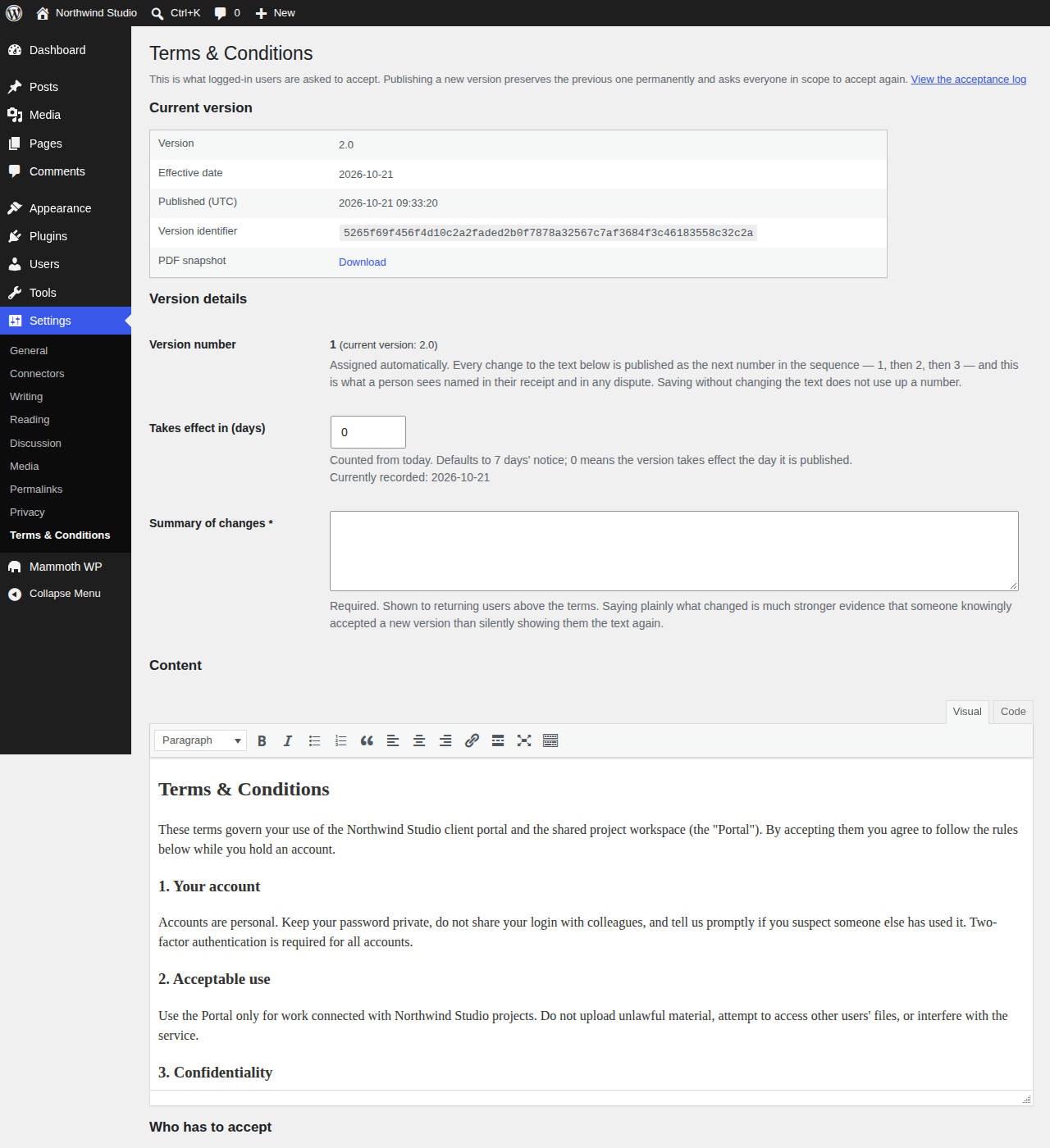
- Versioned archive. Every published version is stored in full and never deleted, so each acceptance can be tied to the exact text shown.
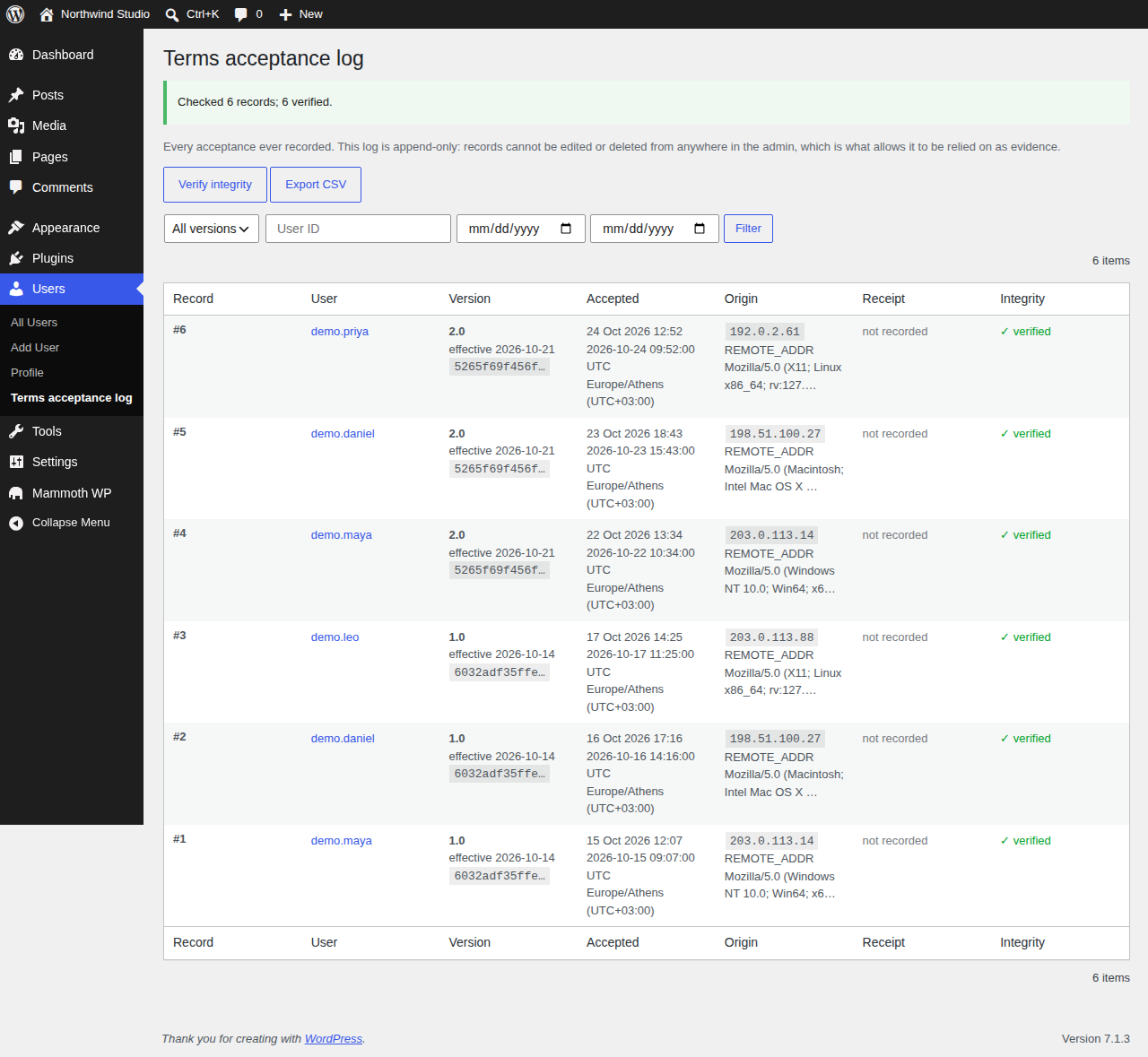
- Tamper-evident log. Each record is signed twice (immutable core, erasable context) and chained to the previous one. A verifier on the log screen flags altered rows.
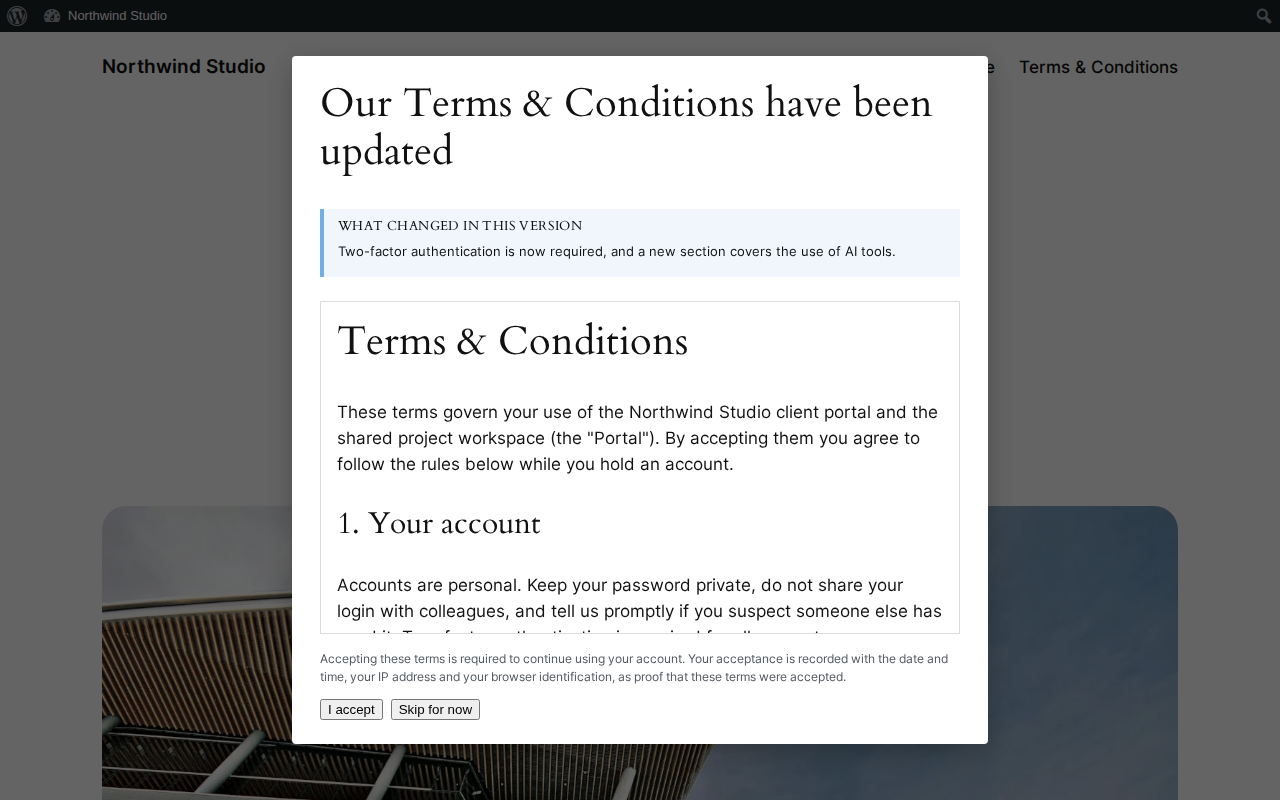
- Role-scoped prompt. A popup with "skip for now" and a persistent notice until the user accepts.
- Receipts. An emailed PDF copy of what was accepted (optional, needs the bundled PDF library).
- GDPR tooling. Personal-data exporter and eraser, retention-based anonymisation, and suggested privacy policy text.
- Manage it your way. Admin screens, a REST API (mmwp/v1), WP-CLI (wp mmwp terms) and the WordPress Abilities API.
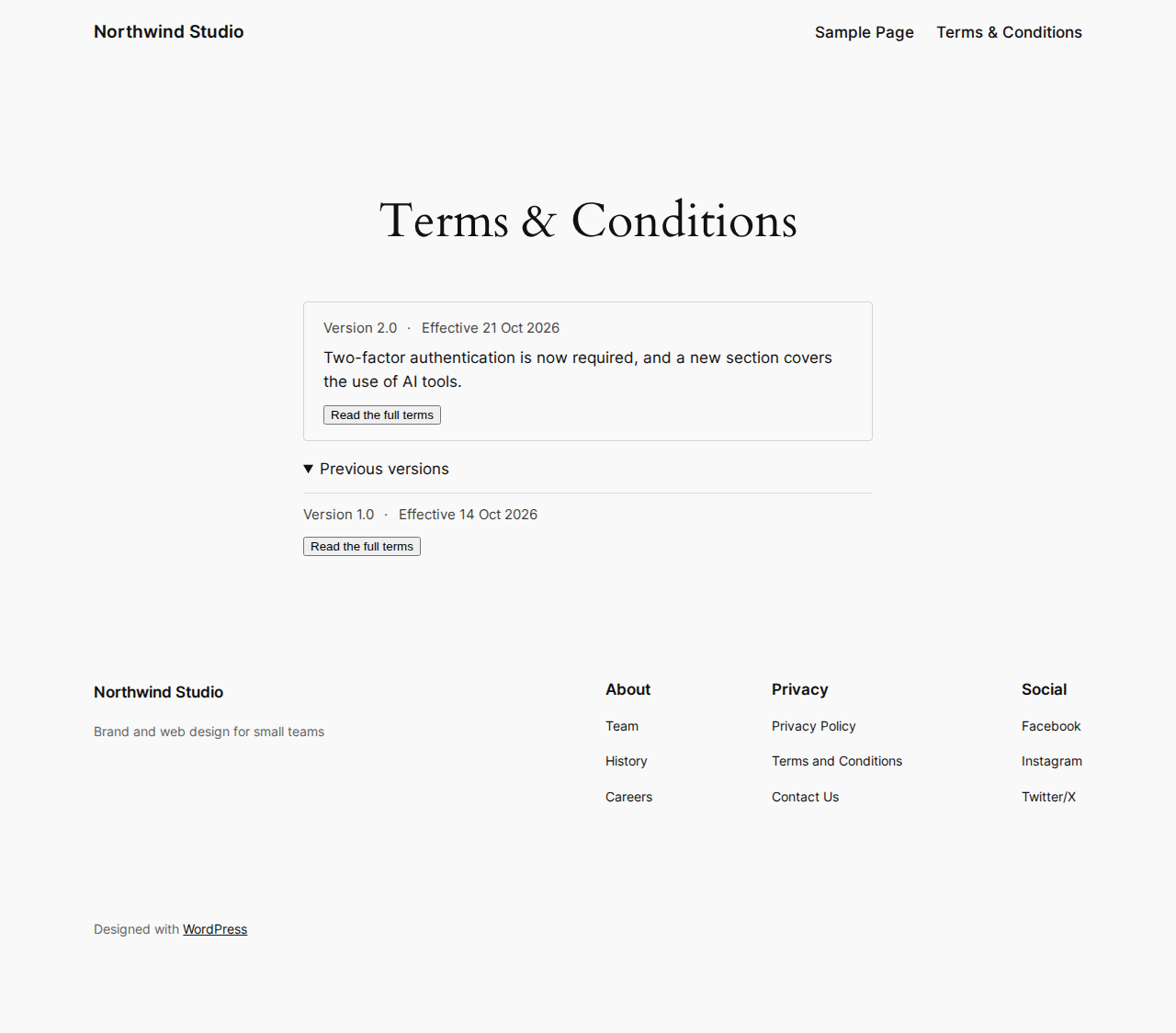
- A public block that shows the current terms, effective date and history.
The plugin makes no outbound requests, loads no remote scripts, fonts or images, and sends no telemetry. It sends email only through your site's normal wp_mail(): the acceptance receipt, and a support request if an administrator presses Send on the Support screen.
Get it
- From wordpress.org: wordpress.org/plugins/mammoth-acceptance-logs/(opens in a new tab)
- Download the ZIP: mammoth-acceptance-logs.1.0.0.zip(opens in a new tab)
-
With Composer:
composer require wpackagist-plugin/mammoth-acceptance-logs - Source on GitHub: github.com/mammothwp/admin-terms-acceptance(opens in a new tab)
Install from source
- Download the ZIP of the main branch from github.com/mammothwp/admin-terms-acceptance (Code > Download ZIP).
- Unzip it and rename the folder to mammothwp-acceptance-logs if GitHub named it admin-terms-acceptance-main, then zip it again.
- In wp-admin, go to Plugins > Add New > Upload Plugin and choose the ZIP, then activate the plugin.
The GitHub ZIP (not the wordpress.org release) is the source tree and does not bundle its Composer dependencies. The acceptance flow and audit trail work without them; the REST, WP-CLI and Abilities surfaces, the Support screen and PDF receipts need them. To get all of that, run composer install --no-dev --optimize-autoloader inside the plugin folder before zipping.
Install
In wp-admin: Plugins > Add New, search for "MammothWP Acceptance Logs", install and activate. Then go to Settings > Terms & Conditions, write your terms, choose which roles must accept them, then publish the version.
Usage
Users in the selected roles are prompted the next time they load the site or the dashboard while logged in. Whoever activated the plugin becomes its first manager; managers are the only people who can read the acceptance log, under Users > Terms acceptance log.
Privacy & data
- Stores
- Every published version of your terms in full, and a signed, chained log of who accepted which version and when.
- Sends
- Nothing. The plugin makes no outbound requests and sends no telemetry. Email goes only through your site's wp_mail(): the acceptance receipt, and a support request if an administrator presses Send.
- On uninstall
- Settings, transients and scheduled hooks are removed. The acceptance evidence is kept unless the site owner chose to delete it.
Developer docs
Hooks, REST routes, commands and use cases, read from the source.
Changelog
1.0.0
- First release on wordpress.org. See CHANGELOG.md for the full history.
Support
Email [email protected], or use the Mammoth WP > Support screen in wp-admin. Nothing is sent unless an administrator presses Send, and a site report is attached only if they tick the box after previewing it.